For Myanmar workers in Thailand
Know what you are owed before payday.
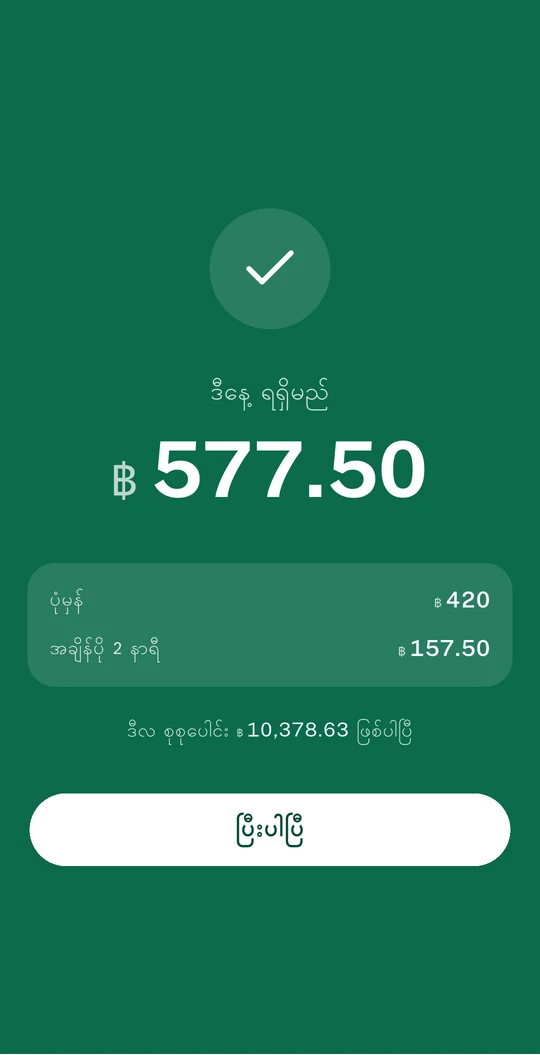
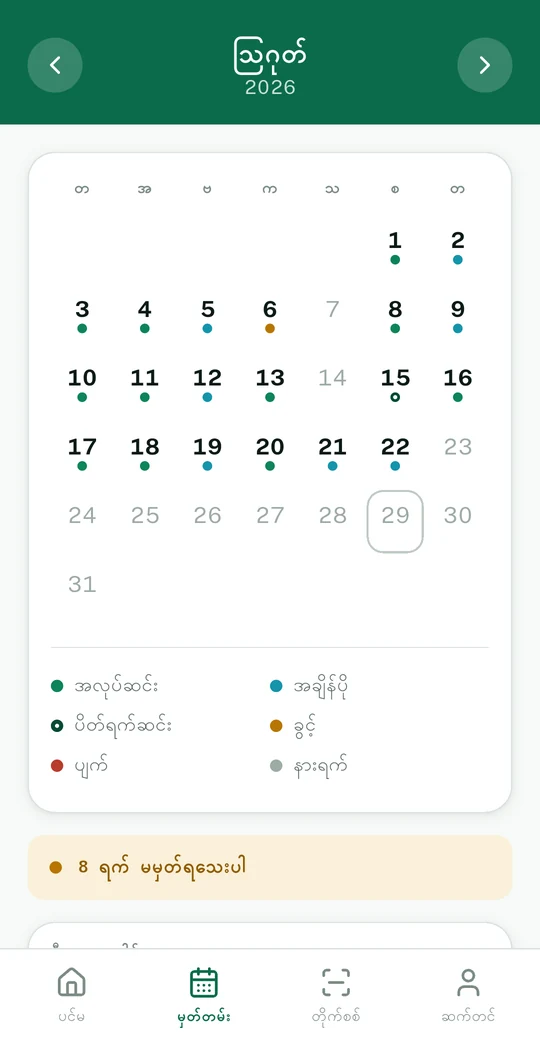
Log the days you work and the hours you stay late. TwetTat works out the figure, so you can hold it next to the slip.
Free. No account. Works offline.
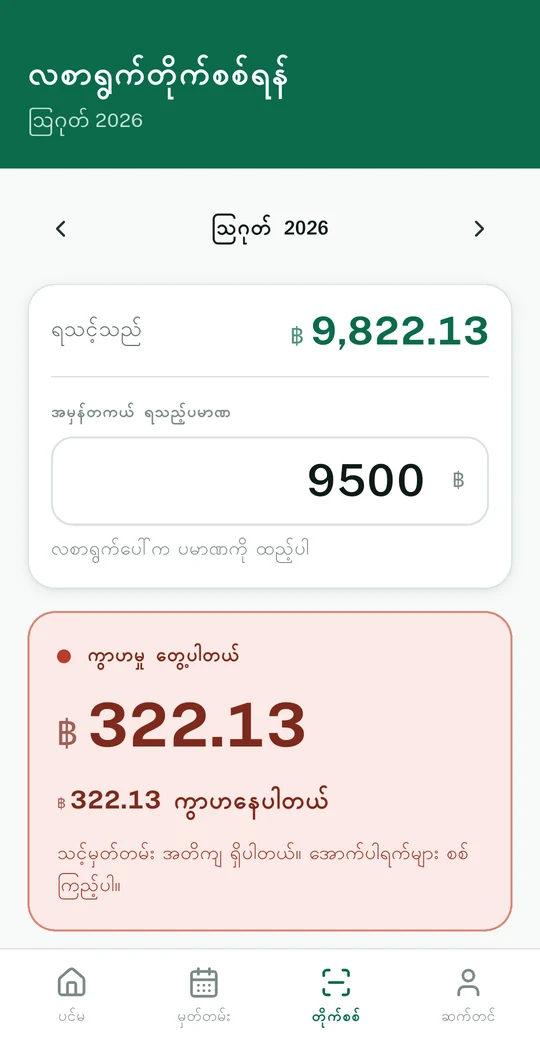
Two numbers, and the difference between them
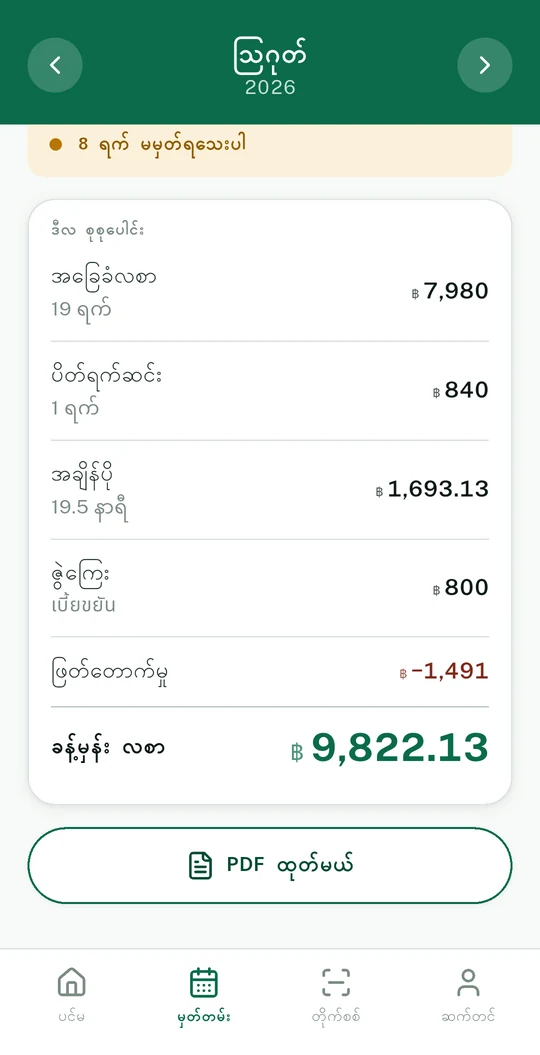
The app keeps its own count of what the month came to. You type in what the payslip actually paid. If those disagree, it says by how much, and points at the days that would explain it.
- It never accuses anyone A gap is a gap. It might be a missing day in your own record, and the app says so first.
- It shows its working Every line divides by the rate printed beside it, so you can check the sum by hand.
- One month is arguable, six is a pattern Each check is kept, so a run of short months adds up to something you can show someone.
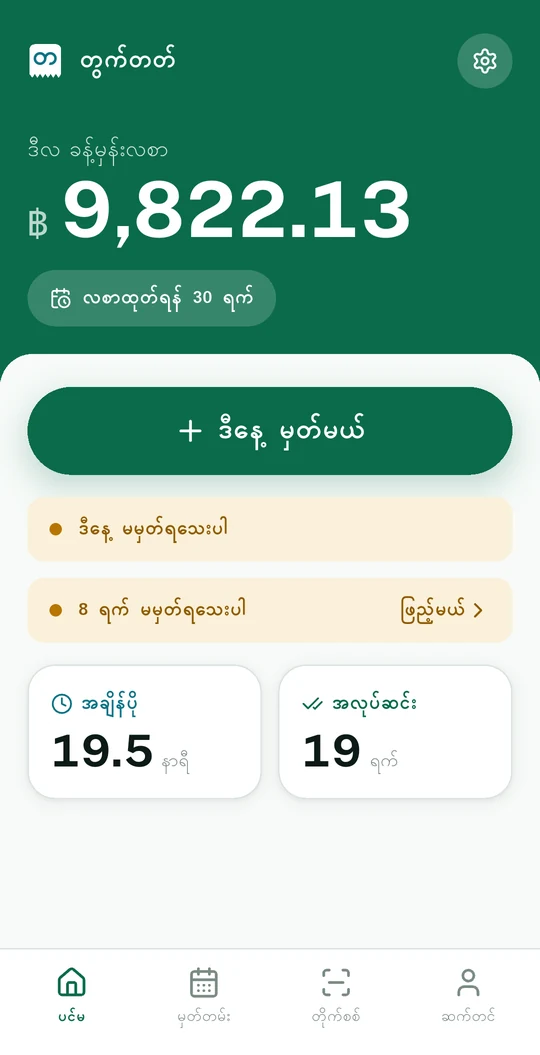
Ten seconds at the end of a shift
The whole thing is built around the moment you walk out of the gate, tired, on a phone with one bar of signal.
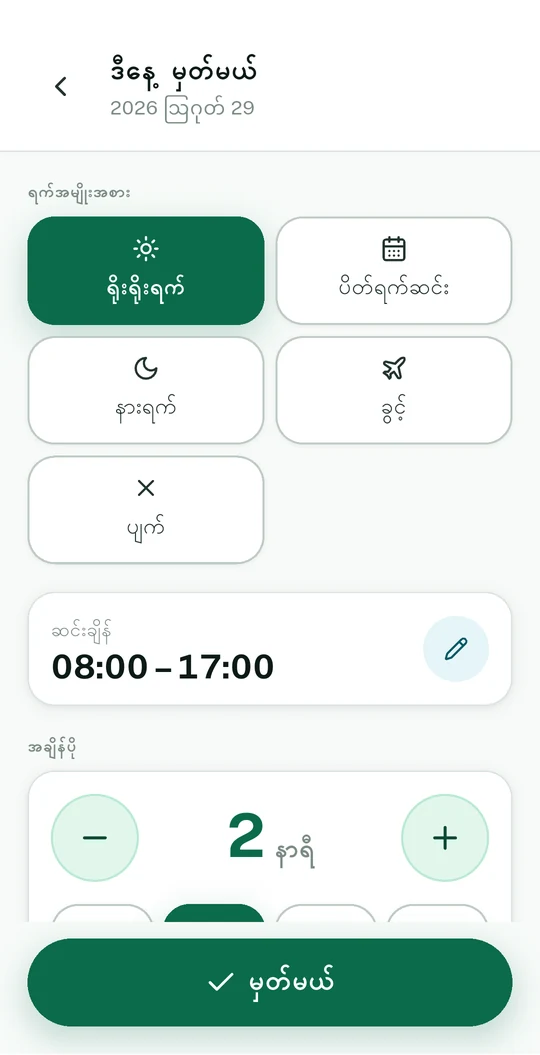
Tap the kind of day
Normal, holiday, day off, leave, absent. Big targets, words and pictures both.
Add the overtime
Half hours on a stepper, or one tap for the common answers. It shows what the day earned before you save.
A nudge if you forgot
One reminder in the evening, skipped on days you already logged. A month with holes always guesses low.
Built for the phone you already have
Your record never leaves the phone
No account, no sign-in, no upload. Everything lives in one encrypted file on the handset. When you want a copy, you export it yourself and decide who gets it.
Works with no signal
Every figure is worked out on the phone. The app is complete in airplane mode.
A record you can print
Export the month as a PDF with the rates printed beside the figures, so a labour office can recompute it.
Thailand, Malaysia, Singapore, Taiwan
Each country's standard overtime rates come filled in, and every one of them stays editable.
Read it in your own language
Burmese, English, Thai and Chinese. The language you read and the country you work in are separate settings.
Inside the app
Drag sideways.